May 16 release now available

The May 16 release of Oracle Service Cloud is now available and a set of new features and functionalities has been added, enhancing even more the power of the platform.

Browser User Interface (BUI)

Oracle continues to improve and develop the BUI, in the journey to enrich this UI with all the features and functionalities available today in the Dynamic Agent Desktop (DAD). This new release adds the following:

Workspace Controls – “Button” and “Title Bar” controls are now now supported in the BUI and available to add to workspaces.

BUI online help – A new icon in the global header takes the user directly to the BUI online help, which opens in a separate browser window.

Data modified warning on browser close – A warning pop up window will displayed when a browser window or tab running on the BUI is closed explicitly from the browser itself.

Change Action menu item labels – The label text of the items displayed in the BUI Action menu can now be changed (using the DAD Ribbon designer).

Browser compatibility dialog window – The browser compatibility dialog window that displays when the workspace designer is opened will now also display when the report or dashboard designer are opened.

Enhanced Quick Search – A new persistent text field was added to the Quick Search feature, allowing users to enter a value for that single filter and click the search icon to initiate the search.

Collaboration Enhancements – Agents using BUI can now see the conversation re. the incidents on the My Incident Conversation report – providing Oracle Social Network (OSN) is enabled on the site and the My Incident Conversation item is added to the navigation set of agents with collaboration permission. An administrator can also designate a profile or set of users as “tenant administrators”, who have permission to administer OSN.

Chat Enhancements – Additional chat features were added to the BUI, including the ability to conference other agents and transfer chats. Also, there is an improved capability for multi-chat  handling, with the BUI providing information to the agent in the chat panel, when agent has multiple chat sessions open – colour cues, message counts, timers and a wrap-up timer.

Workspace rules – Additional workspace rules actions are now supported, including: Add standard text to a thread, Execute editor command (Copy, Delete, Forward, new, Print, Refresh, Save, Save and Close), and Make the editor read only.

JavaScript API – Using this API it is now possible to extend the BUI, which now supports SaveSave & Close, Copy, extension loading, and editor tab-changing events; browser controls, editor commands, and workspace refresh methods; workspace properties; using ID or name of an object when updating a field value.

Outreach and Feedback

Surprise for those who have been saying that Oracle would not improve the Outreach capabilities of OSvC due to the fact that Oracle Marketing Cloud is the preferred product.

Scalable audience calculation for broadcast mailings – The audience generation in mailings was improved to mine audience members in chunks, as subsets, and then compiling the full list for the mailing’s send step. This ensures time-sensitive content can be sent with minimal impact to your site. The entire process happens behind the scenes, requiring no configuration, and applies to all broadcast mailings.

Staff Management

The Profile editor now includes an option to set the .NET browser control to run in IE11 emulation mode rather than the default IE7 mode. Administrators select the Set Browser Controls to use IE11 emulation mode check box on the Other tab of the Profile editor to enable this function. The check box is not selected by default. In addition, browser controls in workspaces should have the Open popups in new browser control option set.

Co-Browse Audit Reports

Audit reports, with all changes made to the configuration of the co-browse functionality are now available for Administrators, giving information about who/when/what changes were made.

Turkish Language Support

Another language added to the list of almost 40 that Oracle Service Cloud supports. With the May 2016 release, the Turkish language is now fully supported within the Dynamic Agent Desktop (DAD) and Customer Portal (CP). All labels in the CP and message bases in the DAD support Turkish. Turkish spell check is included as well.

Enhanced Email Processing

This is probably the most exciting new feature of the May 2016 release.

Near Real-Time Incident Creation – the processing speed was increased and emails are now processed almost immediately after arriving to the Oracle-managed mailboxes, allowing for a near real-time creation of incidents. (note: this change is automatically available to all customers with Oracle-managed mailboxes on May 2016 versions and later).

Inline Images – It is now possible to add inline images as MIME types to the message templates, instead of linking to a file attachment server.

Policy Automation

The policy automation part of OSvC (powered by OPA in the cloud) continues to be enhanced as well with some important new features.

Interview Checkpoints – Customers and agents are now able to save an in-progress or incomplete interview and resume it later, either starting at the same point they’ve left it or bfrom the beggining. This is available on interviews launched from the Customer Portal or from the Dynamic Agent Desktop. Administrators have the power to configure interview checkpoints on every page or after a set number of pages.

Signatures – It is now possible to add signatures to the end of the online interview.

Oracle Service Cloud Platform

REST API enhancements – This May 2016 release brings enhancements to the REST API including enhanced metadata and new API methods like reset password, send
mailing to contacts, and executive marketing flows.

Encryption/Crypto PHP API – to protect sensitive data in integrations and customisations, the encryption/crypto PHP API in CPHP supports encryption/decryption and other cryptographic functions.
 

The channel and touch-point rush

Reading the “Experience Effect” from Jim Joseph made me stop and think about this.

Multi-channel, Omni-channel… yes, we have been talking about it a lot, and it is crucial for the delivery of a good Customer Experience, but multi or omni does not mean All-channels.

It is extremely important for companies to figure out and decide which channels and touch-points are most relevant to their customers. There is no point in offering a raft of channels and touch-points that would just not work, or actually not even be necessary. It is a waste of time, money and focus.

And there is only one way companies would be able to define which channels and touch-points work for their customers. It is by truly understanding the customers and how the brand fits their lives. For example, why provide a digital channel to customers that are not tech-savvy.

It would make no sense for a brand like Apple to provide Fax as a channel. I’m sure the majority of Apple customers are tech-savvy and would prefer Live Chat or Twitter. Similarly, it would make no sense for the Department for Work & Pensions not to provide white mail (post) as a channel, and it is probably too early to provide Social Media as a touch-point.

But it is not enough for companies to get to the perfect combination of channels and touch-points, there is another thing that is crucial: Consistency. In order to provide a great Customer Experience, companies need to be able to deliver consistency across all channels and touch-points.

The main reason for companies to fail having that consistency is the lack of a common understanding of the brand definition, and the customer profile, across the teams that define and manage the different channels and touch-points, as well as the fact that the systems that support those are not joined up.

But be aware that consistency doesn’t mean that the experience has to be exactly the same in all channels or touch-points. That wouldn’t bring any added value or leverage the power and capability of certain channels and touch-points.

Companies should be able to tailor the experience to the channel and the touch-point. And, again, they can only be successful in doing that if they understand the role that the channel or touch-point plays on the customer’s life, the whole customer journey, and the power of the technology enabling it.

WhatsApp Integration with OSvC

One of the biggest and most exciting announcements made by Oracle in the Modern Service Experience event in Las Vegas last week, was the development of an integration with the leading messaging apps in the market – WhatsApp, WeChat and Facebook Messenger.

In the meantime, Customer Interactions Group – an Oracle partner based in the Netherlands – created the integration between OSvC and WhatsApp, certainly using the Chat API.

P.S. – The integration with WhatsApp can only be productised when there is a public API available, which is still not the case today.

Modern Service Experience 2016

Processed with MOLDIV

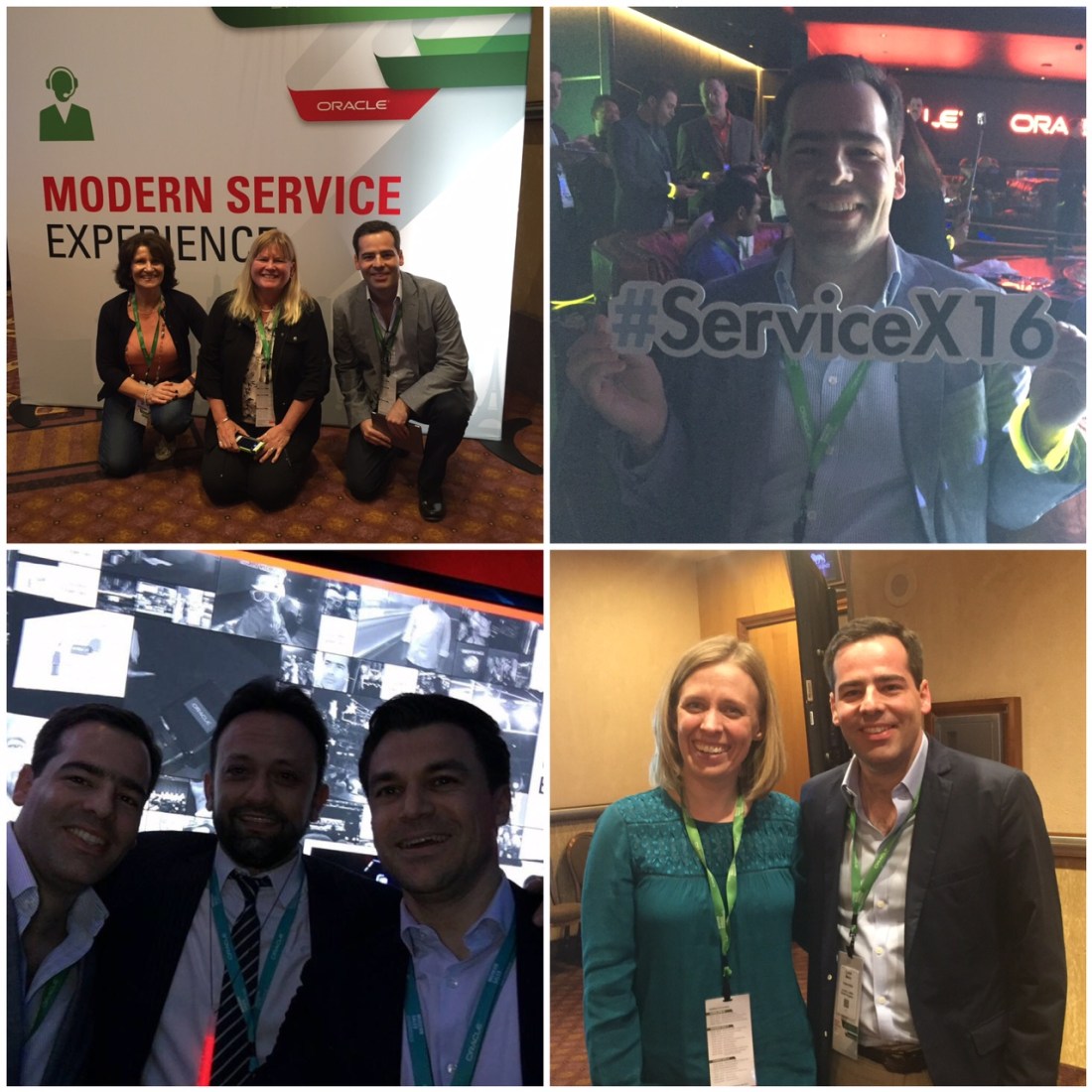
This week I had the chance to be at the Modern Service Experience conference in Las Vegas, where great news were announced by Oracle, with regards to the (near) future of Oracle Service Cloud. Oracle is building their own Video Chat and integration with the leading messaging apps in the market – WhatsApp, WeChat and Facebook Messenger – moving customer service to the next level and allowing companies to keep up with the needs of their customers.

Great sessions and workshops took place in the MGM Conference Centre, where Oracle specialists from the Product Development and Product Management teams shared their knowledge, and customers shared their experiences with Oracle Service Cloud. Their challenges but also their successes, with the implementation and usage of the platform.

Some sessions were particularly interesting:

  • Cross-Channel Contact Centre: Customer Showcase” moderated by Susie Boyer, where three customers (Elsevier, SiriusXM, Academy Sports+Outdoors) showed three completely different ways of using Oracle Service Cloud on a contact centre.
  • Automating your desktop” moderated by Jens Lundell, where WageWorks showed how the company improved efficiency and increased all key indicators using Workspace Rules, Desktop Workflows and Agent Scripts.
  • Customer Portal: Advanced Framework Techniques” where Chris Fellows and Jeremy Campbell, both from Oracle, shared a few tips and tricks on how to use, configure and develop the Customer Portal.
  • Recipes from the Analytics Cookbook” where Kenny Tietz from Oracle, presented the Analytics Cookbook that is now available on the Oracle Service Cloud community.
  • Customer Roundtable: Service Email” driven by Susie Boyer and Keri Jenkin, where many customers asked for clarification and insight on how to go about using the email features and functionalities, like Message Templates and Business Rules to better manage the email interactions.

The Modern Service Experience conference was also a great opportunity to review some “old” faces from the Oracle Service Cloud community – Susie Boyer, Christopher Patterson, Roderick Peace from Oracle; Rhianna Albert from eVerge; Kaarina Kvaavik and Lucia Kash from Language I/O; Paul Graham from Ideqa – and meet others – Stephanie Kaleva, Erica Leep, Keri Jenkin, Maureen Meeds, Jens Lundell, Nate Hossner, Jeff Wartgow from Oracle; Mig Ponce from Eventus; Rupal Patel from Infolexa.

There was also some time to take a sneak peek to some of the sessions on the Modern Sales Experience conference and Modern Marketing Experience conference, as well as meet some experts on Oracle Sales Cloud and Marketing Cloud.

Looking forward to next year’s event!

Feb 2016 release now available

The first release of 2016 is there already with loads of new features. The Feb 16 release of Oracle Service Cloud brings many cool and useful stuff that we were all looking forward to.

Reporting and Analytics

Consolidated Dashboard layouts

A new dashboard layout is available on the Dashboards editor. Unlike other layouts, which determine where the individual reports display on the dashboard, the Consolidated Dashboard layout groups information from all reports on the dashboard into a single report. This lets you display data from multiple, unrelated tables in a single report. While single reports can pull information from unrelated tables, they may fail to run due to database query limits. All reports used in the dashboard must have the same number of columns and the corresponding columns in each report must have the same data type.

Column details available in Report Management reports

The “Reports by Description” and “View Report Descriptions” reports in the Report Management module now include links to column descriptions. For instance, when you run the “View Report Descriptions” report to see descriptions of Oracle Service Cloud reports, you can click the Details link next to a report name to view information about every column included in the report.

Dynamic Agent Desktop Configuration

Recent items

Changes were made to aid organisation and searching. Recent items are now grouped into three additional categories depending on when the record was last opened. Groups include Today, Yesterday, and Older, in addition to Pinned. You can search for records using a text search and filter by type.

Single Sign-on enhancement

The entity ID used in the metadata you export from the Single Sign-on Configurations editor can now be customised. The custom value is used instead of the entity ID that is generated when your Oracle Service Cloud Site is created. By using a custom ID, problems associated with external systems recognising special characters can be avoided.

Properties

Two new workspace and script options properties have been added in the February 2016 release.

  • “Refresh When New Record is Saved” is a new option property for the Policy Automation (OPA) control. When selected, it ensures an agent sees the correct PK ID displayed on the Policy Automation control after the initial save of the created object.
  • “Hide Options Button” is a new options property for reports and relationship items which contain the Options When selected, it removes the Options button from displaying in workspaces and scripts.

Customer Portal

Interactive Spellcheck

The Feb 2016 release adds “Interactive Spellcheck” to the Customer Portal. “Interactive Spellcheck” improves the customer experience with interactive correction of misspelled search terms. If a mistake in typing or spelling occurs, customers are now offered query correction options.

Recent Search

Customer Portal for Knowledge Advanced now displays recent searches within a drop-down list. This feature is designed to improve usability on Customer Portal by displaying a list of recent searches performed by a customer during their session.

Browser UI

Browser extensibility

The following enhancements have been made available to the Agent Browser UI Extensibility Framework:

  • Creating, editing, deleting, finding, and opening workspace records
  • Including and excluding menu items in simple and hierarchical menu fields
  • Additional validation and business logic on saving and closing workspaces

Change user password

You can now change your Oracle Service Cloud user password using the Change Password option in the Settings and Actions drop-down menu. This option is not available when SSO Login is enabled.

Persistent Summary panel

A new workspace Options property allows you to display the summary panel in a workspace as a persistent panel located directly above the primary tab set or as the first tab in the primary tab set. The Options property, named “Summary Panel Alignment”, is available when the primary Tab Set control is selected, and applies only to workspaces in the Agent Browser UI. For existing workspaces, the default value is First Tab, whereas the default value for new workspaces is Top.

Expanded version information in the About dialog

When you select About from the Actions and Settings drop-down menu, you will see expanded version information, including information about both your Oracle Service Cloud and Agent Browser UI product release versions.

Send broadcast Notification message to all logged in users

When you click the Create button in the Notifications window, the “Send To All Logged In Users” check box appears, allowing you to send a message to all staff members currently logged into the system. When you select the check box, the “To” field is disabled.

View Social results and create Social incidents

You can now view social monitor results and create incidents from those results using the Agent Browser UI.

  • Two new reports for viewing and managing social monitoring results are available specifically for the Agent Browser UI. The “Social Monitor Search Results” report is a top level report that allows you to view all searches and drill down to results. The “Social Monitor New Results” report displays all new results.
  • After selecting a specific social monitor post (Twitter public, Twitter @mention, Facebook subscription, or Facebook private message), the “Create Incident” button is displayed if an incident has not already been created for the post which allows you to create a new social incident.

 Enhancements to incident threads

Several new functions related to incident threads are now supported in the Agent Browser UI.

  • An attachment icon now appears on an incident response thread header when an attachment has been sent with that response. Click on the attachment icon for a list of attachments sent with the response, then click on an attachment in the list to view the attachment.
  • When you copy an existing incident, you can edit or delete all thread entries in order to modify the new incident as desired. After the new incident has been saved, you can no longer modify or delete those threads.
  • The “Read Only” behaviour properties for the Rich Text Incident Thread control on the incident workspace – Read Only On New, Read Only On Edit, or Read Only/Profile Based – are now supported by the Agent Browser UI.

Workspace rules

Additional workspace rules triggers, conditions, and actions are now supported.

JavaScript API

In addition to workspace rules, the Agent Browser interface can be further extended using the JavaScript API. With the JavaScript API, developers can use standard web technologies to create UI and data mashups.

Knowledge Advanced enhancements

Additional Knowledge Advanced features available in Agent Browser UI include:

  • Hot keys for “Add As Text” and “Add As Link”, used to add an answer to a message body, are now available.
  • When an answer is added to a message body as a link or as text or when an answer is viewed, these events are tracked and are reported in the “Answers Utilized by Agents”, which is accessed from Oracle Service Cloud Smart Client (or Dynamic Agent Desktop).

 Analytics

The Report Behaviour options “Create New Records in Separate Workgroup” and “Open Existing Records in Separate Workgroup” for the report control are now supported in the Agent Browser UI, allowing the new record or opened record to be saved independently from the record the control is on.

 Enhanced user interface look and feel

A number of changes to the workspace toolbar, primary tabs, and secondary tabs will provide more visual cues to the user.

  • On the workspace toolbar, the “Refresh”, “Save”, and “Save and Close” buttons now have appropriate icons to the left of the button text.
  • The selected primary workspace tab has a blue bar below the tab text to indicate it is the selected tab.
  • Secondary tabs include an appropriate icon to the left of the tab text to indicate the record type.

The selected secondary tab will have a border around the tab text and icon and the tab text will have bold blue formatting.

Data Import – The Limitations

Oracle Service Cloud (OSvC) comes with a data import capability to allow us to migrate data from legacy systems or databases into the OSvC database in the cloud.

Data can be migrated using data files with various types of delimiters – the most commonly used is CSV (comma-separated value).

It is possible to import data into most primary standard and custom objects, and associated secondary objects.

We can use the Data Mapping Templates map the columns in our files to the fields in OSvC database, and also set duplicate criteria.

To import the data, we can use the easy-to-use and intuitive Data Import Wizard, which not only allows import but also reports on success/failure.

It is a great and useful feature, but it has its limitations. Some of them, important to bear in mind, are:

  • Opportunity and Task objects are not supported. If you want to import records to these two objects you will need to use the APIs.
  • Importing data in to associated (secondary) objects – e.g. Message Thread on Incidents, Notes in Contacts – is allowed on create but ignored on update.
  • Products and Categories fields are not available for mapping when you are importing Answers. These have to be updated manually after import.
  • Special characters (e.g. apostrophe, commas) or words (e.g. “Union”) might cause record import to fail when they exist in lookups fields (e.g. Contact Email, Organisation Name).
  • Due to Incident reference number format (YYYYMMDD-xxxxxx) we are limited to the import of Incidents to 999,999 per day.

Apart from that, the Data Import capability seems to work well.

Data Import Bug

We recently bumped into a bug… When we were importing data into the OSvC instance of two of Capventis customers, the system started creating loads of duplicates, forcing us to stop the import, delete the records, and import back again.

Unfortunately this was happening again and again. And we were not even using loads of data. Our files contained a few thousands or a couple of tens of thousands of records. When trying to import a file with 5,000 records, the system was creating 15,000 or 20,000, and kept going if we didn’t cancel the import.

We reported to Oracle and, after many hours on the phone and emails exchanged with Oracle Support, they finally recognised the bug and promised to resolve in the next few patches or releases. Hopefully they will resolve soon as this is crucial to all our projects.

In the meantime the workaround we found was to break data files down in 500 records each. Otherwise, create tools that read CSV files and use the APIs to import data.

Data Import Performance

Some times the data import process via the Data Import Wizard can be slower than usual – obviously depending on the type and amount of data in your data files.

This can be fixed or improved. During the data import process the data in the data files is divided in batches that are processed one at a time.

If you feel the process is slower than usual you may want to reduce the number of records in each batch, by changing the value in the DATA_IMPORT_BATCH_LIMIT configuration setting.

The DATA_IMPORT_BATCH_LIMIT configuration setting limits the number of records processed in a single batch when performing a Data Import. Maximum is 5000. Default is 1000.

Oracle Service Cloud with LinguistNow in PhotoBox

It was almost three years ago when I first came across a brilliant add-on to Oracle Service Cloud, developed by Language I/O. At the time I wrote a post about it, describing  how it would work for Incident and Answer translation.

A number of months later I posted about the success story of the Answer translation (LinguistHelp) in iRobot.

This time the post is about another success story, but related to the Incident translation (LinguistNow) in PhotoBox.

I would like to outline the words of Chris Gallimore, Customer Support Operations Manager at PhotoBox, who I had the pleasure to meet not long ago: “When LinguistNow came up as an option and was explored, it seemed to tick off a couple of boxes straight away in that it supported all of the languages that we support and had a solution that tied into Oracle Service Cloud”.

Also worth to emphasise… “LinguistNow Response easily fits into Oracle Service Cloud, combining both machine and rapid human translation to allow support agents of any language to respond to customer emails quickly and in their preferred language. Together, PhotoBox and Language I/O are able to successfully support customers in eleven languages. When a support agent responsible for one specific language is unavailable, another agent is able to easily service his or her customers in their language, in just a few clicks, via the LinguistNow tool”.

Sam Walton (Walmart founder): Believe me… the client will never come back

Maybe some of you have already come across this, but for those who haven’t, here goes…

A few years ago Sam Walton, founder of the biggest retailer in the world, opened a new training programme for Walmart employees, and made sure he took the first slot in every training session.

Most people expected Sam to make a speech about the history and the values of the company, about sales or customer service. But instead Sam shared a short, simple and personal history.

I’m the kind of person who goes to a restaurant, sits at the table and patiently waits, whilst the waiter does everything but taking my order.

I’m the kind of person who goes to a shop and waits in silence, whilst the employee behind the counter finishes the private conversation with the colleague, before taking my payment.

I’m the kind of person who goes to a gas station and never buzzes, but waits patiently whilst the employee finishes his newspaper read.

I’m the kind of person who explains to a supplier his urgency on getting a specific product, and does not complain after receiving it 3 weeks later.

I’m really the kind of person who enters any commercial establishment and seems to be begging for attention, for a smile, for the employee to do me a favour.

And now you must be thinking that I’m just a nice, calm, relaxed, quiet, patient kind of person. But you are wrong!

You know who I am? I’m the customer who will never come back.

And then I have fun. Watching these companies spend millions of dollars, in marketing and advertisement, in order to make me come back to them. When actually I was there already, and all they had to do was a simple, cheap and easy thing: treat me with a little courtesy.

There is only one boss: THE CLIENT. And he can fire everyone in the company. From the employee to the Chief Executive, simply by taking his money somewhere else

Customer Experience. This is what it is all about. And a good one has lots of components, from employee empowerment to personalised service. But the truth is that everything should start from the basics. And the foundation for a good CX is something as simple as a bit of courtesy. And that doesn’t require any investment in time or money, just the right attitude.

Gatwick, not so express!

Back in 2 January I was coming back to London, from my Xmas holidays with the family, and had my pre-booked Gatwick Express ticket to London. Surprise, surprise! The service was disrupted on that weekend due to works.

Nothing we could do apart from waiting 1 hour for the next Southern Railway train which took 1,5 hours to get into London, rather than the usual 25 mins the Gatwick Express takes – reason why I paid much more for the ticket.

Obviously I contacted Gatwick Express customer service, via email, asking for a refund. The automatic acknowledgement email came back stating it would take them 20 days to respond (call that express service!).

And they did. On the 22 January I received an email asking me to send the electronic copy of the tickets. Problem was, I bought them on the train station and I already had attached a picture of them to my original email.

The response was quick. The advisor asked me to go online, download a form, fill it in and send it via post to the “Refunds Team“. I was obviously not happy with this and tweeted about it @GatwickExpress. Unlike times I praised them, and they came back asap thanking, this time no one replied.

There are many things wrong here, and I will list them below hoping that someone from Gatwick Express customer service can read it:

  • Disrupting trains on a weekend where thousands are coming back from their Xmas holidays is obviously not a good idea.
  • An SLA of 20 days to respond to a customer’s email is absolutely ludicrous.
  • Asking a customer to send the tickets when he already done it shows lack of organisation and attention to detail.
  • Asking a customer to request a refund via post is appalling (does your customer service even live on the XXI century!?)
  • Forcing a customer to use post is a deliberate manoeuvre to make it harder for people to request refunds, hoping they will quit.

It is clear to me that Gatwick Express…

  • Does not have a customer centric strategy
  • Does not have a customer experience focus
  • Does not have a 360-degree view of the customer
  • Does not have joined up operations and systems
  • Does not worry with customers expectations and effort
  • Does not want to go the extra mile for its customers
  • Does not want to embrace the digital world

Maybe they are happy with the amount of customers they have, and not worried about retaining them or acquiring more. As far as I’m concerned, I will start using the competition (Southern Railway) whenever I need to go to Gatwick Airport.